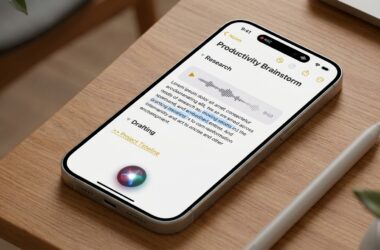




Direct Answer
You can protect your privacy with on-device AI agents by limiting their permissions, confirming where data is processed, and requiring approval before sensitive actions. On-device processing can reduce cloud exposure, but it does not automatically make an agent private.
The safest starting point is least privilege: give an agent access only to the files, apps, and accounts required for the current task.

What Are On-Device AI Agents?
AI agents go beyond answering prompts. Depending on the product, they can open files, organize information, use connected applications, schedule tasks, browse the web, and perform multi-step actions.
On-device AI agents process at least part of that work locally. Many products are hybrid systems, so users still need to understand when information moves to a cloud service.
Key Privacy Takeaways
- Grant access only to files and apps required for the current task.
- Review permissions for photos, contacts, calendars, email, cameras, microphones, and location.
- Confirm which requests are processed locally and which are sent to the cloud.
- Check whether prompts, files, or conversations are stored or used for model training.
- Require approval before messages, purchases, deletions, account changes, or public posts.
- Separate work data from personal and financial records.
- Use project-specific folders instead of granting access to an entire drive.
- Remove integrations that are no longer used.
- Recheck privacy settings after major product updates.
- Keep recovery and audit logs for important automated actions.
How to Manage AI Agent Permissions
Check every connected resource
Start with the AI app and then review the device operating system. An agent that organizes one work folder usually does not need access to personal photos, identification documents, or every cloud drive.
Use the least access necessary
Permission reviews turn privacy from a vague promise into a concrete list of resources the tool can and cannot reach.
Review access on a schedule
Monthly or quarterly reviews catch integrations that were useful once but no longer need to remain connected.
Find Out Where AI Data Is Processed
Local processing
Local processing can reduce the amount of information sent to remote servers and may improve privacy for sensitive notes, files, or voice requests.
Cloud processing
Cloud models can provide more computing power, but users should know what leaves the device, how long it is retained, and whether another provider receives it.
Hybrid workflows
Many on-device AI agents combine both approaches. Privacy decisions should be based on the most sensitive step in the workflow, not merely the product label.
To see how major tech companies handle this balance without compromising end-to-end security, you can read more about Apple’s Private Cloud Compute security model.
Require Approval for Sensitive Actions
Human confirmation is especially important before an agent can perform actions that are difficult to reverse.
- Sending emails or messages
- Making purchases or payments
- Deleting or moving files
- Sharing private documents
- Changing account or security settings
- Publishing content publicly
- Sending information to another service
Benefits of a Privacy-First AI Workflow
Less unnecessary exposure
Reducing access gives an agent fewer opportunities to encounter data it does not need.
More control over automation
Approval checkpoints preserve user authority while still allowing routine low-risk tasks to move quickly.
Clearer data boundaries
A narrow permission today is easier to expand later than broad access is to undo after sensitive data has already been exposed.
For broader insights into user data rights and decentralized AI standards, explore Mozilla’s research on trustworthy AI and on-device privacy.
Frequently Asked Questions
Are on-device AI agents always private?
No. Some tasks may run locally while others use cloud infrastructure, connected applications, or third-party services.
Should an AI agent have access to all files?
No. Give the agent only the folders and files it needs for a defined task, then remove access when the task is complete.
Can AI agents send emails automatically?
They can, but important or sensitive messages should require a preview and explicit approval before sending.
Does local AI always run faster?
Not necessarily. Performance depends on the device, model, and task. Privacy and speed should be evaluated separately.
Bottom Line
On-device AI agents can be useful without receiving unlimited access. Limit permissions, understand data processing, add approval gates, and review connected services regularly to keep automation under your control.
Source: Capgemini TechnoVision Tech Trends. Explore enterprise guidelines on AI agent deployment, security, and governance on the official Capgemini Research Library.
If you are looking to dive deeper into the latest AI model landscape, this September 2026 AI Models Breakdown video provides a clear overview of the new agentic frameworks and autonomous features released this month.