

Direct Answer
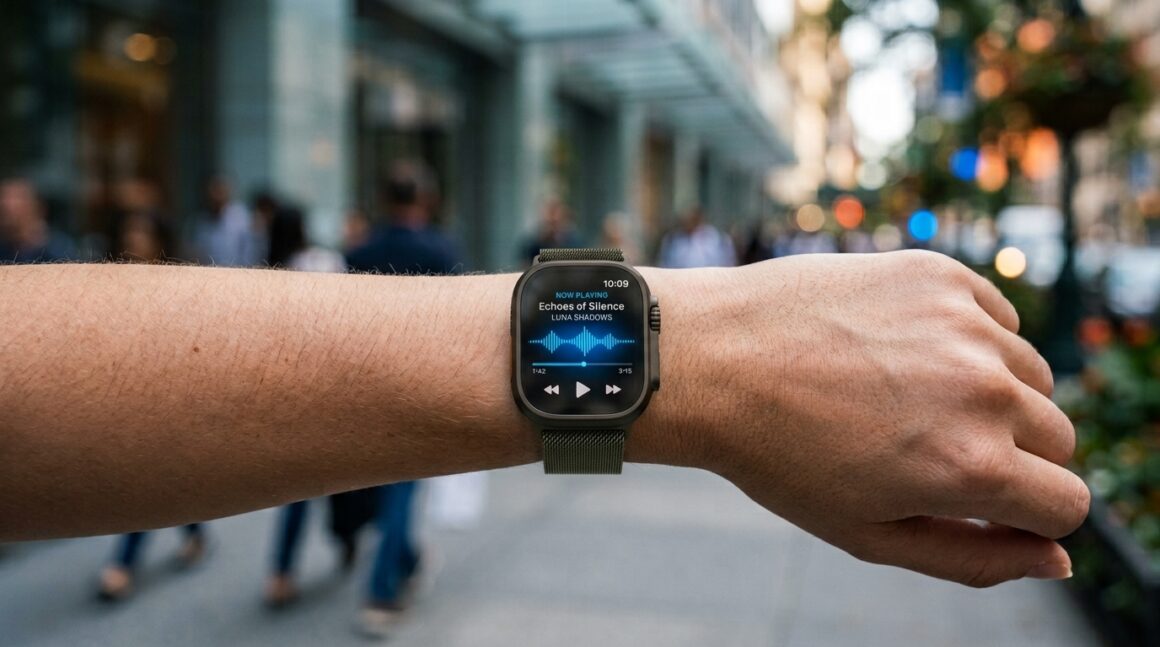
Live Rewind Audio Intelligence is an Apple Watch feature that helps users recover the last few seconds of speech they missed. A quick Digital Crown shortcut can show a short text snippet from the previous 15 seconds, making it easier to keep up in meetings, errands, and noisy conversations.
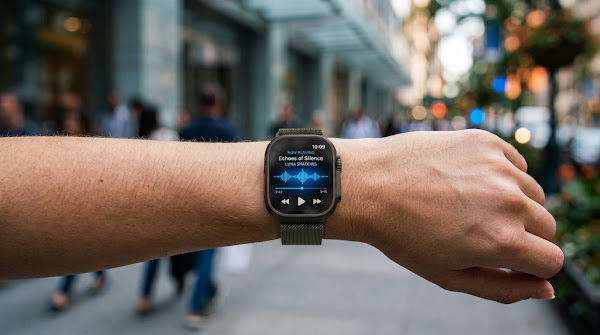
For WPRadar readers, the most interesting part is not the novelty. It is the fact that Apple is turning a tiny moment of confusion into a watch-level shortcut.
Why a 15-Second Feature Matters
Most wearable features fail when they ask for too much attention. This one works because the user only needs a short answer: what did I just miss?
That is why Live Rewind Audio Intelligence belongs in the practical-AI category. It is not flashy; it is useful at the exact second attention slips.
Key Takeaways
- Live Rewind Audio Intelligence is designed for recent missed speech.
- The feature is associated with Apple Watch and Audio Intelligence.
- Users trigger it with a Digital Crown shortcut.
- The practical window is about the last 15 seconds.
- The result is a short, readable text snippet.
- It can help during meetings, errands, classes, travel, and noisy settings.
- It should be triggered immediately after the user misses something.
- It is not a replacement for a full meeting recorder.
- Privacy and consent expectations still matter around audio tools.
- Live Rewind Audio Intelligence works best as a fast recovery feature.
How the Feature Works
The missed-speech moment
The feature starts with a common human problem. Someone says something, the user catches only part of it, and the conversation continues before there is time to ask again.
The shortcut interaction
Double-pressing the Digital Crown is meant to keep the interaction fast. The user can glance at text and return attention to the person speaking.
The text result
The output is not a long transcript. It is a recent snippet, which is exactly what makes Live Rewind Audio Intelligence easier to understand and easier to trust.
The User Experience Test
If the snippet appears quickly, the conversation continues naturally. If it takes too long, the feature becomes another interruption.
The feature succeeds when it feels invisible. The watch provides context, then gets out of the way.
Where It Helps Most
Work conversations
A missed phrase in a work conversation can include a deadline, address, price, customer name, or instruction. A short rewind can prevent a small miss from becoming a follow-up problem.
Public noise
Restaurants, stores, airports, and events all create uneven listening conditions. Live Rewind gives users a quick fallback when one important line gets lost.
Learning environments
In a class, lecture, or training session, the user may miss a definition or transition. Live Rewind Audio Intelligence can help recover that moment while the lesson continues.
For people who occasionally struggle to catch every word in a conversation, having a quick way to review recent speech could also make the Apple Watch more useful as an accessibility tool.
Source: Information and compatibility details are based on Apple’s official Audio Intelligence support documentation.
What It Is Not
The feature should not be treated as a secret recorder, a permanent archive, or a full transcription service. It is a short-window assist for a conversation the user is already part of.
That limitation is healthy. It keeps expectations clear and helps separate a convenience feature from heavier recording tools.
Privacy and Social Etiquette
Know the setting
Audio-related tools can feel sensitive. Users should be thoughtful about where they use them and should understand local rules and social expectations.
Use it as assistance
The respectful use case is simple: recover words you missed in a conversation you are participating in. It should not become a workaround for consent.
Quick Use Checklist
- Notice the missed phrase right away.
- Use the Digital Crown shortcut quickly.
- Read the short text snippet.
- Return attention to the conversation.
- Use a dedicated recording tool when a full transcript is required.
- Check device and software support before depending on the feature.
Frequently Asked Questions
How far back does Live Rewind go?
It is built around the previous 15 seconds, so timing matters.
Does it save a full recording?
No. Live Rewind Audio Intelligence is meant for short recent speech snippets, not long audio archives.
Why put this on Apple Watch?
The watch is already available during real conversations, so the shortcut can be faster than reaching for a phone.
Bottom Line
Live Rewind Audio Intelligence is valuable because it solves a narrow, familiar problem. When a few words slip by, Apple Watch can help the user recover the moment and stay present.
Related Readings:
- What Is the Mac Studio M5 Performance Level?
- How Do You Smoothly Switch to a New iPhone 18?
- How to Master Apple Notes AI Features
- Related reading on wpradar.com: How to Split a Bill and Tip on Apple Watch; Make Live Photos Loop, Bounce, and More on iPhone.