



Direct Answer
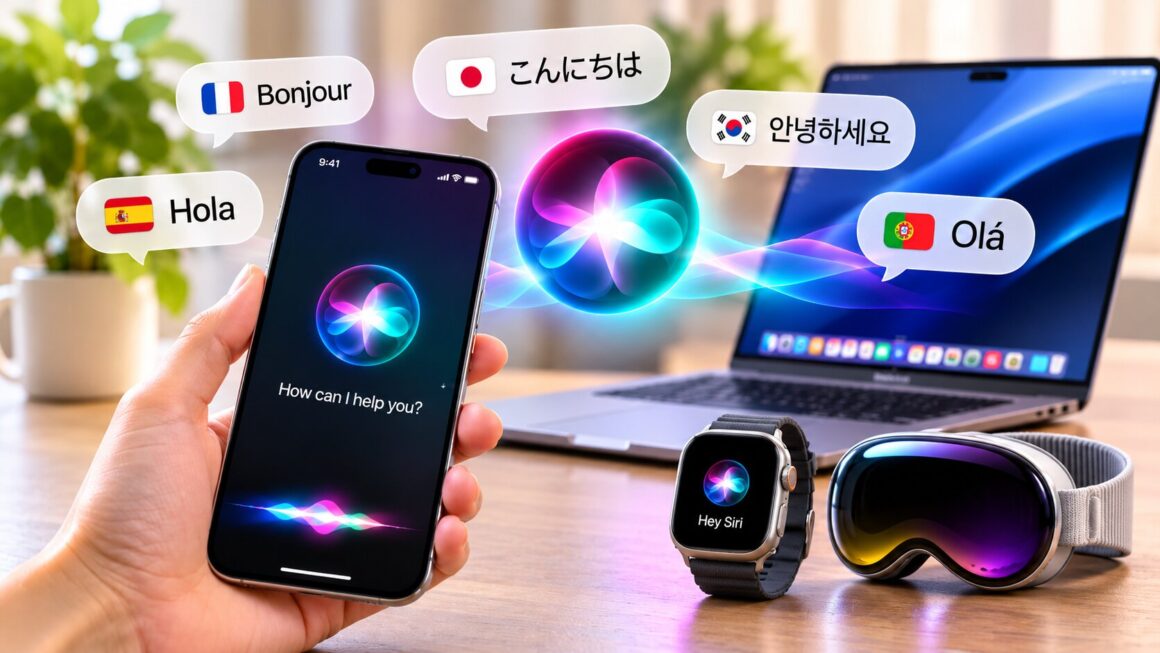
Siri AI now supports six languages in its beta release: English, French, Japanese, Korean, Portuguese, and Spanish. Apple introduced the five additional languages on October 26, 2026, alongside its 27.2 software update.
However, updating an Apple device does not automatically guarantee access to every Siri AI feature. Hardware compatibility, language settings, regional restrictions, and beta availability all affect whether the assistant works as expected.
Understanding these requirements can help users identify why Siri AI is missing, unavailable, or not responding to certain requests.

Start by Checking Your Device Compatibility
Before changing settings or reinstalling software, confirm that your Apple device supports Apple Intelligence.
Apple’s stated requirements include:
- iPhone 15 Pro and later, supported iPhone 16 models and newer devices, iPhone Duo, and iPhone Air
- iPad mini (A17 Pro) and iPads with M1 or later
- MacBook Neo and Macs with M1 or later
- Apple Vision Pro
Apple Watch also requires a paired iPhone with Siri AI enabled.
If your device does not meet the hardware requirements, changing language settings will not make unsupported features available. Check your model first so you don’t spend time troubleshooting a compatibility limitation.
Check Your Device and Siri Language Settings
One common requirement is that the device language and Siri language must match.
For example, selecting French as the device language while keeping Siri set to English does not meet Apple’s stated language requirement for Siri AI.
To check your configuration:
- Open your device’s language settings.
- Confirm that the device uses one of the supported Siri AI languages.
- Open Siri settings.
- Select the same language for Siri.
- Check whether the option to try Siri AI beta appears.
The currently supported Siri AI languages are English, French, Japanese, Korean, Portuguese, and Spanish.
Apple Intelligence supports additional languages for certain features, but that broader availability should not be confused with full Siri AI language support.
Why the Siri AI Beta Option Might Be Missing
If your device is compatible and both language settings match, regional availability is another factor to investigate.
Siri AI remains in beta, and Apple applies restrictions based on location and Apple Account region.
The feature is unavailable on iOS, iPadOS, and watchOS in the European Union. However, Apple says it is supported on macOS 27 and visionOS 27 for EU residents when the device and Siri languages meet the requirements.
Users with a mainland China Apple Account region cannot currently access Siri AI. Apple also states that the feature is unavailable to people under 13.
There may also be a waitlist during periods of high demand. Therefore, not seeing the beta option immediately does not necessarily mean your device is defective.
Understand Which Siri AI Features Are Available
Sometimes Siri AI works, but a particular request does not produce the expected result. This may be a feature limitation rather than a setup problem.
Apple’s updated assistant is designed to provide several capabilities.
Natural conversations and follow-up questions
Users can ask questions in a more conversational way and continue with related requests. Important answers about travel, finances, or other consequential subjects should still be checked.
Searching personal content
Siri AI can help locate information in supported messages, emails, and photos. What it can access depends on app integration, feature availability, and privacy settings.
Actions across apps
The assistant can draft emails, edit or share photos, and complete other supported tasks. Available actions vary by app, device, and language.
Onscreen awareness
Users can ask questions about content displayed on their device and request supported actions related to that information.
If one capability is unavailable, test another basic request before assuming the entire assistant is not working. Different features can have different requirements.
For the latest requirements and setup instructions, consult Apple Support’s guide to Siri AI.
Test Siri AI With Simple Requests First
Once your settings and compatibility are confirmed, begin with a straightforward request.
Ask Siri a simple factual question in your selected language. Then try a related follow-up question to see whether it retains the conversational context.
You can also test a supported personal-content search or ask about something displayed on your screen.
If a request fails, consider the following:
- Was the request made in a supported language?
- Does the feature require access to a particular app or personal-content permission?
- Is the action supported on your device?
- Does the request involve information that Siri cannot access?
Keeping track of which requests work and which fail can help distinguish a configuration problem from a feature limitation.
Review Privacy and App Permissions
Siri AI’s personal-context features can involve messages, emails, photos, and other information stored on your device. This makes privacy settings an important part of troubleshooting.
Apple says Siri AI is built on Apple Intelligence. Requests may be processed on-device or through Private Cloud Compute when server-side processing is required.
Apple describes Private Cloud Compute as a system designed to process requests without storing user data or making it accessible to Apple.
Even so, review the permissions granted to individual apps. A feature may not work as expected if the necessary access has not been provided.
Users should also avoid sharing unnecessary sensitive information when testing an AI assistant.
Which New Siri AI Languages Are Coming?
Apple has announced plans to add four more languages by the end of 2026:
- Traditional Chinese
- Norwegian
- Turkish
- Vietnamese
Filipino is not included in the announced expansion, and Apple has not specified a release date for Filipino-language support.
The distinction between announced and currently available languages is important. Even when Apple confirms a future language, its rollout and individual feature availability may depend on software, hardware, and region.
Frequently Asked Questions
Which languages does Siri AI support now?
The beta currently supports English, French, Japanese, Korean, Portuguese, and Spanish.
Why can’t I find the Siri AI beta option?
Possible reasons include incompatible hardware, mismatched device and Siri languages, regional restrictions, or beta waitlist availability.
Does Siri AI support Filipino?
No. Filipino is not included in Apple’s announced language list, and no release date has been provided.
Can I use Siri AI on an Apple Watch?
Yes, provided you have a compatible paired iPhone with Siri AI enabled and meet the applicable software, language, and regional requirements.
Is Siri AI available in the European Union?
It is unavailable on iOS, iPadOS, and watchOS in the EU. Apple says macOS 27 and visionOS 27 are supported there under its stated language requirements.
Does every Apple Intelligence language work with Siri AI?
No. Apple Intelligence supports a broader range of languages for some features, but individual Siri AI capabilities have their own availability requirements.
Is Siri AI available to children?
No. Apple states that Siri AI is unavailable to users under 13.
Final Thoughts
Getting Siri AI to work involves more than installing the latest software. Compatible hardware, matching language settings, regional access, and beta availability all influence the experience.
If the assistant is missing or a feature does not respond, check these requirements before assuming something is wrong with your device. As Apple expands its Siri AI languages, users should also keep an eye on official announcements to understand when new options and capabilities become available.
Related reading: Apple Notes AI features; on-device AI privacy.