


Browsing Tag
CMS
119 posts

Complete Guide to How to Setup WordPress Multisite
The Complete Guide to How to Setup WordPress Multisite - WordPress has always been growing rapidly from year to year, over the years WordPress has also become a CMS platform that has not moved from the top position and WordPress is the best choice for users around the world because WordPress has powerful features, it is safe and easy to use. Since WordPress made an update to version […]


Basic Guide to Virtual Private Server (VPS) Hosting
Basic Guide to Virtual Private Server (VPS) Hosting - When you decide to choose hosting when you are about to start a new blog, it is highly recommended to use the shared hosting type because shared hosting is the most affordable hosting package compared to other types of hosting, but along with time goes by and your blog grows in terms of [...]


How to start a WordPress blog in 30 minutes
How to start a WordPress blog is not as difficult as it seems, but Blogging can also be very complicated if you don't know how to get started. But in general, blogging can be done by anyone who has a computer or laptop with an internet connection. And in this article I will show you how to start a blog with [...]
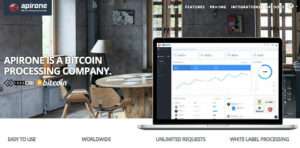
How to Accept BitCoin Payments on WooCommerce
Bitcoin is a digital currency that is very popular today and is used as a means of buying, paying and transferring funds around the world easily and quickly without the need to go through financial authority services such as banking (list of the largest banks in Indonesia) and others. Digital currency or what is often referred to as cryptocurrency is increasingly popular and many […]
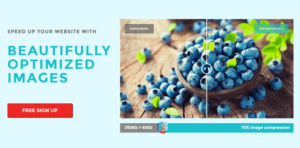
7 Best Image Optimization Plugins For WordPress
7 Best Image Optimization Plugins For WordPress - For WordPress users who feel that their website or blog feels heavy when opened, resulting in the website feeling slow, there is a high chance that this is due to too many images or a large size or resolution. Installing images on the website is indeed very important to beautify the website or content [...]
How to clear or clear cache in WordPress
How to Clear or Clean Cache in WordPress - The cache system was created to make users get access times faster than they should. In the browser, server and web there is also a cache system that aims to make websites quickly access by storing static files in a closer place, thereby reducing PHP scripts to […]


In this article I will explain in full about how to configure WordPress settings in the "Settings" menu, but this discussion is specifically for self-hosted WordPress users or not for free WordPress on WordPress.com. After you install WordPress the first time, by default WordPress will bring some settings that you need to configure with [...]

How to Use Google Fonts in a WordPress Theme
How to Use Google Fonts in a WordPress Theme - Google Fonts is a free source of fonts provided by Google and can be used by web designers to meet their font needs for their website. Currently, Google Fonts already has around 848 font families with various categories. As a WordPress user, you can also take advantage of fonts from Google fonts […]

Make Pages in WordPress Cooler with the MotoPress Page Builder
WordPress by default does not carry a Page Builder feature or a page builder with an easier drag and drop editor for WordPress users. This feature is not added by default by WordPress maybe because currently there are many WordPress developers who have created plugins for Page builders with a visual drag and drop editor, and one […]

How to Optimize SEO on Images to Increase Site Ranking
SEO Optimization Ways to Improve Site Rankings - When adding photos to your website, something that is often overlooked but easy to do is to add ALT and TITLE attributes to your images. Though this trivial is very useful and will make big changes to your images and articles to make it more machine friendly [...]